





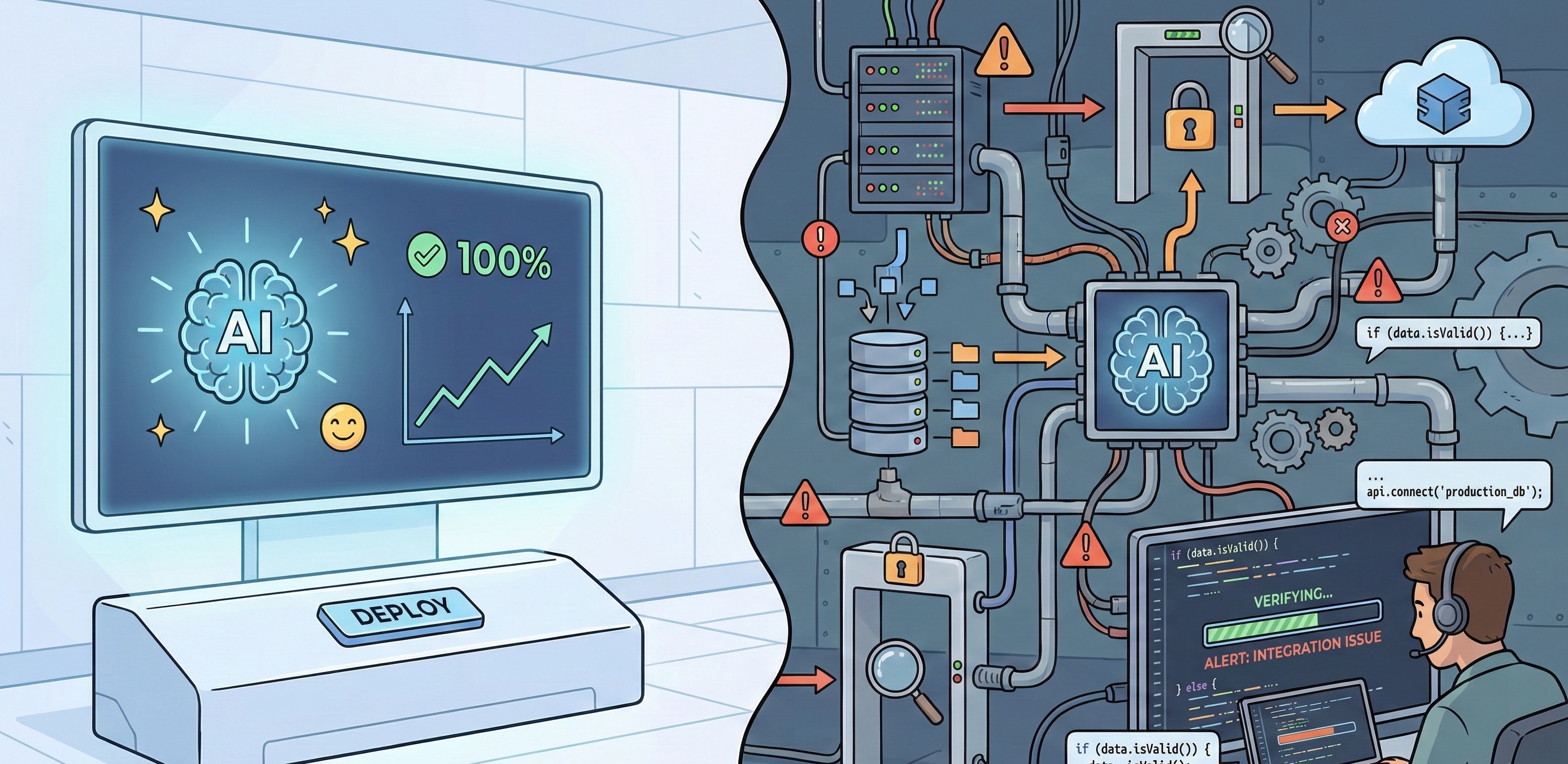
The demo always works. That’s the problem.
Every AI product launch follows the same pattern: a polished demonstration where inputs are clean, requirements are simple, and edge cases don’t exist. The presenter types a prompt, something impressive happens, and the room gets excited about how this changes everything.
Then you try to ship it.
As the team building campaigns and platforms that increasingly involve AI components, we’ve learned to separate what works in controlled conditions from what survives contact with real users, real data, and real deadlines. This isn’t scepticism about AI. We use these tools daily and they’ve genuinely changed how we work. But the gap between “technically possible” and “reliably deployed” is where most of the actual work lives.
Here’s what we’ve learned from the build side.
Where AI Genuinely Delivers
Let’s start with what works. These aren’t hypothetical use cases. They’re patterns we’ve seen succeed in production.
Content classification and routing at scale. When Mars Wrigley ran their Amazon Bedrock campaign, the system processed over 57,000 user submissions, classifying content and triggering personalised responses. That’s not a task you’d want humans doing manually, and AI handled the volume while maintaining consistency. The key was narrow scope: classify this input against these defined categories, then route accordingly. Clear rules, measurable outcomes.
Variation generation within constraints. Need 50 versions of a headline that all stay within brand guidelines? AI excels here. The constraints actually help. You’re not asking for open-ended creativity. You’re asking for permutations within defined parameters. The output still needs review, but you’re reviewing options rather than creating from scratch.
Prototype acceleration. Generating initial code structures, layout options, or content drafts happens dramatically faster with AI assistance. We’re seeing 40-60% time savings on early-stage work. The catch: these prototypes need experienced eyes before they become production code. More on that shortly.
Pattern recognition in data. Surfacing anomalies in campaign analytics, identifying trends across large datasets, flagging potential issues. AI processes volume that would take humans days, and it doesn’t get tired or distracted. The analysis still needs interpretation, but the heavy lifting happens faster.
The Last Mile Problem
Here’s the pattern we see repeatedly: AI gets you 70-80% of the way there, and the final 20% takes longer than expected because you’re debugging decisions you didn’t make.
When you write code from scratch, you understand why every line exists. When AI generates code, you inherit architecture decisions, naming conventions, and implementation approaches that may or may not suit your actual requirements. The code might work, but working isn’t the same as maintainable, secure, or performant under load.
We’ve seen AI-generated components pass initial testing, then fail spectacularly when traffic spikes. The logic was technically correct, but the approach didn’t account for concurrency, caching, or database connection limits. Those aren’t bugs in the traditional sense. They’re architectural assumptions that only surface under pressure.
The same applies to content. AI-generated copy can be grammatically perfect and completely off-brand in ways that are hard to articulate until you see it. The tone is slightly wrong. The vocabulary choices feel generic. It reads like it was written by someone who studied the brand guidelines rather than someone who understands the brand.
This isn’t a criticism of the tools. It’s a description of where human expertise still lives: recognising when “technically correct” isn’t actually right.
The Integration Tax
AI tools are almost always demonstrated in isolation. You see the prompt, you see the output, and it looks magical. What you don’t see is what happens when that output needs to connect to existing systems.
Consider a campaign that uses AI-generated content. The generation is the easy part. The hard part is:
- Ensuring generated content meets accessibility requirements
- Maintaining version control when content can be regenerated
- Connecting to your CMS in ways that preserve formatting
- Handling the 15% of outputs that need human intervention
- Building the review workflow that catches brand compliance issues
- Logging and auditing for client reporting
We’ve had projects where the AI component took two weeks to build and the integration layer took six. That ratio isn’t unusual. The tax isn’t just technical. It’s operational: who reviews the output, how do rejections get handled, what happens when the AI produces something unexpected?
The Expertise Paradox
Here’s something counterintuitive: you need to already understand what good looks like to recognise when AI output isn’t good enough.
A senior developer can glance at AI-generated code and immediately spot the problems. A junior developer might ship it because it passes tests and seems to work. The same applies to design, copywriting, and architecture decisions.
This creates a paradox for teams trying to use AI to compensate for skill gaps. AI amplifies capability. It doesn’t replace foundational understanding. Teams with strong technical foundations get more value from AI tools because they can direct, evaluate, and refine the output effectively.
We’ve watched this play out across projects. Teams that treat AI as a productivity multiplier for experienced people get consistently good results. Teams that treat AI as a replacement for expertise accumulate problems that surface later, usually at the worst possible time.
What Production-Ready Actually Means
When we evaluate whether an AI approach is production-ready, we’re asking specific questions:
Consistency. Does it produce reliable output across the full range of expected inputs? Demo conditions use clean data. Production handles whatever users actually submit.
Failure modes. What happens when it doesn’t work? Does it fail gracefully, or does it produce confident-sounding nonsense? Can you detect failures automatically, or do they slip through to users?
Latency. Demo latency is acceptable. Production latency affects user experience. Some AI operations that feel instant in a demo add meaningful delay at scale.
Cost at volume. API calls that cost cents in testing become significant line items at campaign scale. We’ve seen projects where AI costs exceeded initial estimates by 5x because nobody modelled actual usage patterns.
Auditability. Can you explain why the system made a specific decision? For some applications, this matters legally. For all applications, it matters when clients ask questions.
The Verification Layer
Every AI implementation we trust in production has a verification layer. Sometimes that’s human review. Sometimes it’s automated checks. Usually it’s both.
The verification layer is where expertise lives in an AI-augmented workflow. It’s not the glamorous part. It doesn’t demo well. But it’s what separates systems that work reliably from systems that work most of the time.
Building effective verification requires understanding what can go wrong, and that understanding comes from experience. It’s knowing that AI-generated code might not handle timezone edge cases, or that generated content might include phrases that are technically accurate but culturally inappropriate in specific markets.
This is where deep technical foundations matter. The verification layer isn’t something you can generate. It emerges from understanding the problem space well enough to anticipate failure modes.
The Tool, Not The Point
AI has earned its place in our toolkit. It’s made certain tasks dramatically faster and opened possibilities that weren’t practical before. We reach for it daily, the same way we reach for any tool that helps us deliver better work.
But the goal hasn’t changed. We’re still here to build things that work reliably, perform under pressure, and solve real problems. Whether that involves AI, traditional code, or some combination depends entirely on what the project needs.
The best results come from treating AI as a capable tool with specific strengths and limitations, not as a solution in itself. Understanding those strengths and limitations is part of knowing your craft. The interesting question isn’t “how do we use more AI?” It’s “what’s the best way to build this?” Sometimes that answer involves AI. Sometimes it doesn’t.
What matters is the outcome.
Building something that involves AI components?
Contact our team to discuss how to get genuine production value without the expensive surprises.
Simon Paul is a Business Solutions & Technology Specialist at Code Brewery with 25+ years in digital production. He’s more interested in what works than what’s trendy, and has found that the best tools are the ones you stop noticing because they just do their job. Reach out to Simon to discuss your next project.
 4.9
4.9  69
69 


