



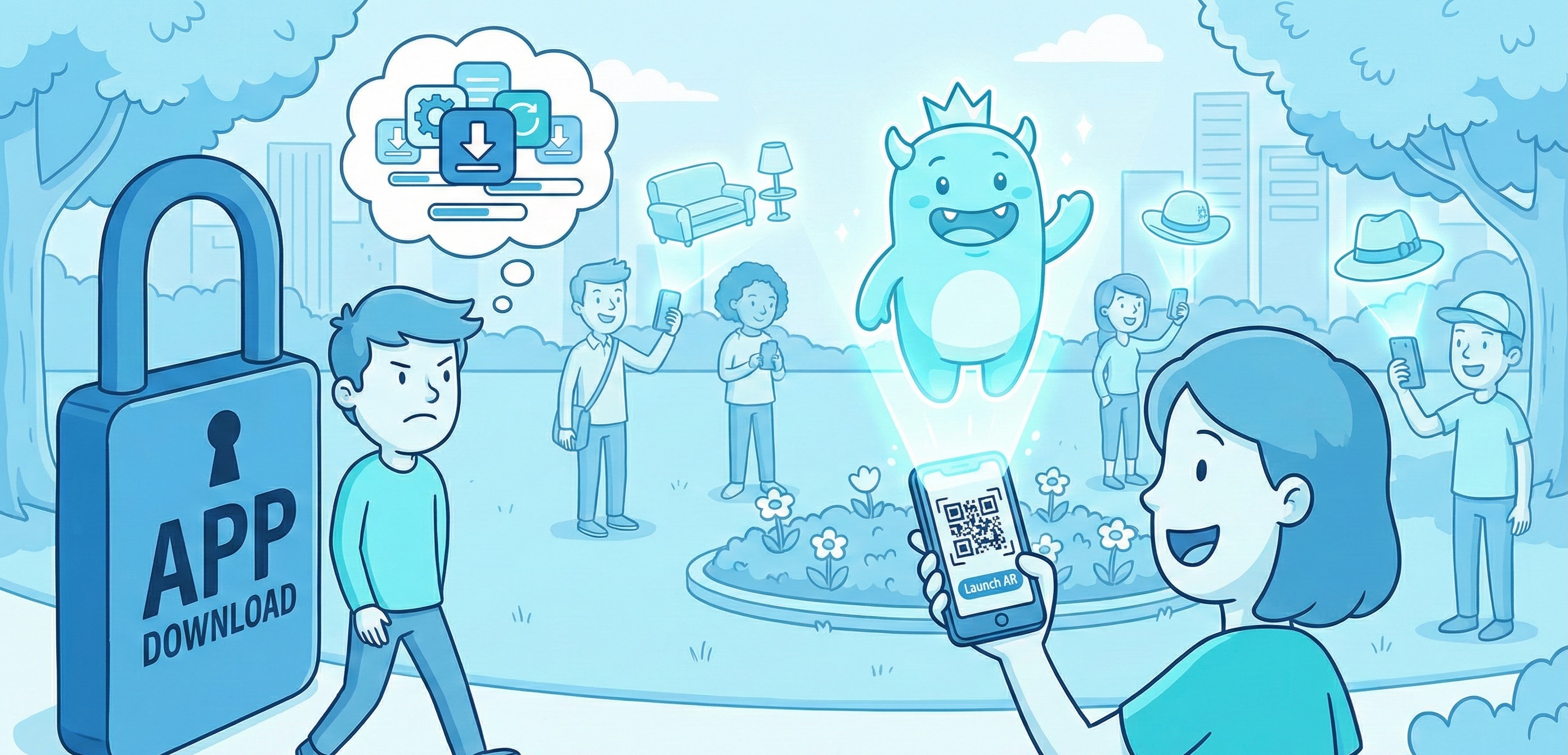
Here’s the problem with native AR apps: they work brilliantly until users hit the download barrier. You might have polished 3D models and solid tracking. But none of that matters if most users abandon before they see it.
App fatigue has killed more good AR campaigns than bad technology ever did. Most users have 40+ apps installed. Storage warnings pop up constantly. So asking someone to download an app for a brief brand moment is conversion poison. In fact, you’re not competing against other AR experiences. Instead, you’re competing against app store friction and download wait times.
WebXR solved this problem. Now, augmented reality runs directly in mobile browsers. Users tap a QR code, grant camera access, and the AR launches. It takes three seconds and maybe two taps. As a result, engagement rates can jump from 12% to 60% for the same experience. The only change is removing the install step.
However, WebXR isn’t just “native AR in a browser.” The technical setup differs in important ways. Performance works differently too. Therefore, choosing the wrong platform can sink an otherwise solid campaign.
The Architecture Reality
Native AR gives you direct hardware access. You work with depth sensors and the GPU at the metal level. This means ARKit on iOS and ARCore on Android. As a result, performance is steady and features are rich.
In contrast, WebXR runs in the browser sandbox. JavaScript APIs handle the hardware access. So performance depends on the browser version. Features are more limited too. However, sharing is instant. And that changes how users actually engage.
This split affects every technical choice you make.
Tracking: Where Native Still Wins
ARKit’s LiDAR on newer iPhones gives millimetre-accurate depth mapping. Similarly, ARCore captures lighting for realistic rendering. Both offer plane detection and occlusion that just works.
Meanwhile, WebXR provides basic hit-testing through the WebXR Hit Test API. It can place objects on surfaces reliably. However, it understands the environment less deeply. For example, detailed mesh mapping isn’t available. Also, occlusion handling remains limited.
When Tracking Differences Matter
Consider placing a car model in a driveway. With native AR, the car appears correctly behind hedges and bins. The depth looks right throughout. But with WebXR, the car floats in front of everything. This breaks the spatial illusion.
For car or large furniture shopping, this occlusion matters a lot. Buyers need to feel the scale and presence. However, for smaller products on open surfaces, WebXR works fine. Think cosmetics on a counter or gadgets on a desk.
Tracking Stability Over Time
Native AR stays accurate even after several minutes. In contrast, WebXR can drift slightly over time. Older devices and poor lighting make this worse. For quick 30-second to 2-minute interactions, this drift doesn’t matter. But for longer sessions, it becomes noticeable.
Rendering: The Performance Gap
This is where the setup creates real user impact.
Native AR renders on the GPU with minimal overhead. A well-built native experience holds 60fps, even with complex 3D assets. Metal on iOS and Vulkan on Android enable advanced rendering and real-time shadows.
However, WebXR renders through the browser’s WebGL layer. This adds overhead. As a result, complex scenes realistically target 30fps. Simpler content can still hit 60fps. But advanced effects cost more than they would natively.
Real-World Results
Simple product views (one model, basic lighting) hit 60fps on both platforms. This applies to mid-range phones from the last three years. However, complex scenes tell a different story. Multiple objects with fancy materials see native holding 60fps. Meanwhile, WebXR typically runs 35-45fps on the same phone.
Glasses try-ons show this clearly. Native ARKit with depth cameras achieves smooth 60fps rendering. Face tracking stays precise as users move. But WebXR versions need simpler rendering to stay smooth on older phones.
Newer phones with faster browsers narrow this gap. Still, native keeps an edge for complex rendering.
Asset Work: Where WebXR Takes More Time
Native AR uses platform-specific formats. USD works on iOS. glTF works on Android. Model conversion is simple. Texture formats are clear. Loading behaves as expected.
In contrast, WebXR must work across many browser engines. Each has different quirks. So asset work becomes more aggressive. For example, main objects typically target 50-100k triangles. That’s half the native budget. Also, total file size stays under 5-10MB for quick mobile loading.
Budget 20-30% more time for WebXR asset work. Cross-browser testing takes longer. It’s not harder. It just needs more rounds of checking.
Browser Support Today
iOS Safari has supported WebXR since iOS 15. It works well on iPhone XR and newer. Older phones technically support it. But performance is weak for anything complex.
Android Chrome has strong WebXR support on ARCore phones. Most Android devices from 2018 onwards qualify. However, performance varies a lot by hardware tier.
In practice, WebXR covers about 75-80% of Australian phone users well. Native AR (building for both iOS and Android) covers closer to 90%. But native requires that app download.
So the trade-off is clear: better device reach versus major download friction.
When WebXR Makes Sense
Product Views for Online Shopping
IKEA shows the industry shift well. They launched IKEA Place as a native app in 2017. By 2022, they’d moved to browser-based experiences. Why? Because removing the download changes everything. Users can instantly see furniture from a product page. They never leave their browser. As a result, more people actually use it.
Beauty and Makeup Try-ons
L’Oréal’s web AR strategy shows the power of easy access. Their ModiFace tech runs across brand sites like Maybelline and Lancôme. It also works on Instagram and Amazon. No app needed. By 2023, they reported over 100 million virtual try-ons. That’s up from 40 million in 2022. The tech needs are modest: face tracking and texture overlay. So WebXR handles it well, even on older phones. When testing lipstick doesn’t need an app, far more people actually try products.
Location-based Experiences
Tourist sites now use QR codes for browser AR overlays. Visitors scan a code at a historical spot. They see info overlays about what they’re viewing. They explore for a minute, then move on. This is perfect WebXR territory: high intent, brief use, instant start. Native apps would kill adoption. Tourists won’t download apps for one location. This is especially true when travelling with limited data.
Fast Campaign Launches
Tight timelines favour WebXR strongly. You can deploy updates instantly. There’s no app store approval wait. You can share a link for quick testing on any device. For campaign work where creative choices happen days before launch, this speed often decides what’s even possible.
When Native AR Remains Necessary
Luxury Product Configurators
Big purchases like cars, jewellery, or high-end furniture justify the app download. Full-size realistic models with live configuration need native power. Advanced materials like metallic finishes and see-through overlays require more headroom. Features like x-ray views need native platforms too. Simplifying models for WebXR would hurt the whole point: helping buyers feel confident through visual quality.
Rich Beauty and Fashion Experiences
WebXR handles simple try-ons well. However, native AR enables richer features. Think layering multiple products at once: foundation, contour, eyeshadow, and lips together. Accurate lighting and smooth performance across thousands of products matter commercially. Brands report 30-40% conversion lifts from AR try-ons. So smooth beats choppy every time.
Spatial Experiences with Environment Awareness
Showroom experiences need native features. Users walk through virtual spaces with products appearing correctly behind real objects. Accurate occlusion needs mesh mapping. Spatial audio and persistent anchors need environment awareness. WebXR’s simpler surface detection can’t match these needs.
Device Features and Long-term Apps
Some AR experiences need direct camera access or native share sheets. Native development avoids browser sandbox limits. If social sharing drives viral growth, platform ties often decide the tech choice.
Also, retail apps where AR is one feature among many justify downloads. Wishlists, store finders, purchase history, and loyalty points provide broader value. Users install for overall utility. The AR parts then benefit from native ties.
Making the Technical Choice
The decision is simple once you know what you’re building.
Do you need instant access from web links? Is basic AR enough? Then WebXR is right. Do you need advanced environment features or top rendering? Then native delivers better results. Are you building for fast campaign deployment? WebXR wins on speed. Are you building for long sessions with complex assets? Native gives you more room.
Here’s the uncomfortable truth: download friction kills more campaigns than feature limits. A great native AR experience getting 10% engagement (because nobody downloads it) loses to a simpler WebXR experience getting 50% engagement.
But that doesn’t make WebXR always better. It makes WebXR better when reach matters more than features. Knowing which situation you’re in guides the right choice.
Performance Patterns That Matter
Regardless of platform, these points drive successful AR:
Asset optimisation matters most. Every polygon cut improves load times and frame rates. Always test on mid-range phones, not flagship hardware. Users don’t care about your dev machine specs.
Progressive loading keeps things feeling fast. Don’t block AR while waiting for all assets. Instead, load key objects first. Then stream the rest in the background. Users perceive speed differently than tools measure it.
Graceful fallbacks respect device limits. Detect what the device can do. Then adjust quality to match. Running smooth at lower quality beats stuttering at high quality. Dropped frames break immersion faster than fewer polygons.
Battery life isn’t optional. AR drains power on both platforms. So keep experiences focused and short. Users appreciate brevity more than you might expect.
The Bottom Line
WebXR now handles more campaign work than native AR. Why? Because download friction kills more campaigns than feature limits. However, native AR still makes sense when the project calls for it.
Your tech choice should serve the experience goal. Understanding what each platform actually delivers lets you decide clearly. Will you default to what you know? Or choose based on real needs? The difference shows in results.
If you’re looking at AR for an upcoming campaign, have this conversation early. The choices you make in planning affect everything later. It’s better to know what you’re committing to before the budget locks in.
Ready to discuss AR for your next campaign?
Contact our team to explore the setup and performance factors for your specific use case.
Simon Paul is a Business Solutions & Technology Specialist at Code Brewery who’s forgotten more about digital production than most people will ever learn. After building AR experiences across native platforms and WebXR for brands in retail, beauty, and entertainment, he’s developed clear views on when each approach makes sense. Reach out to Simon to discuss the technical choices for your next AR project.
 4.9
4.9  71
71 


